
AI Focus Apps: Which Features Help You Manage Distractions?
Quick answer: which focus features are worth paying for?
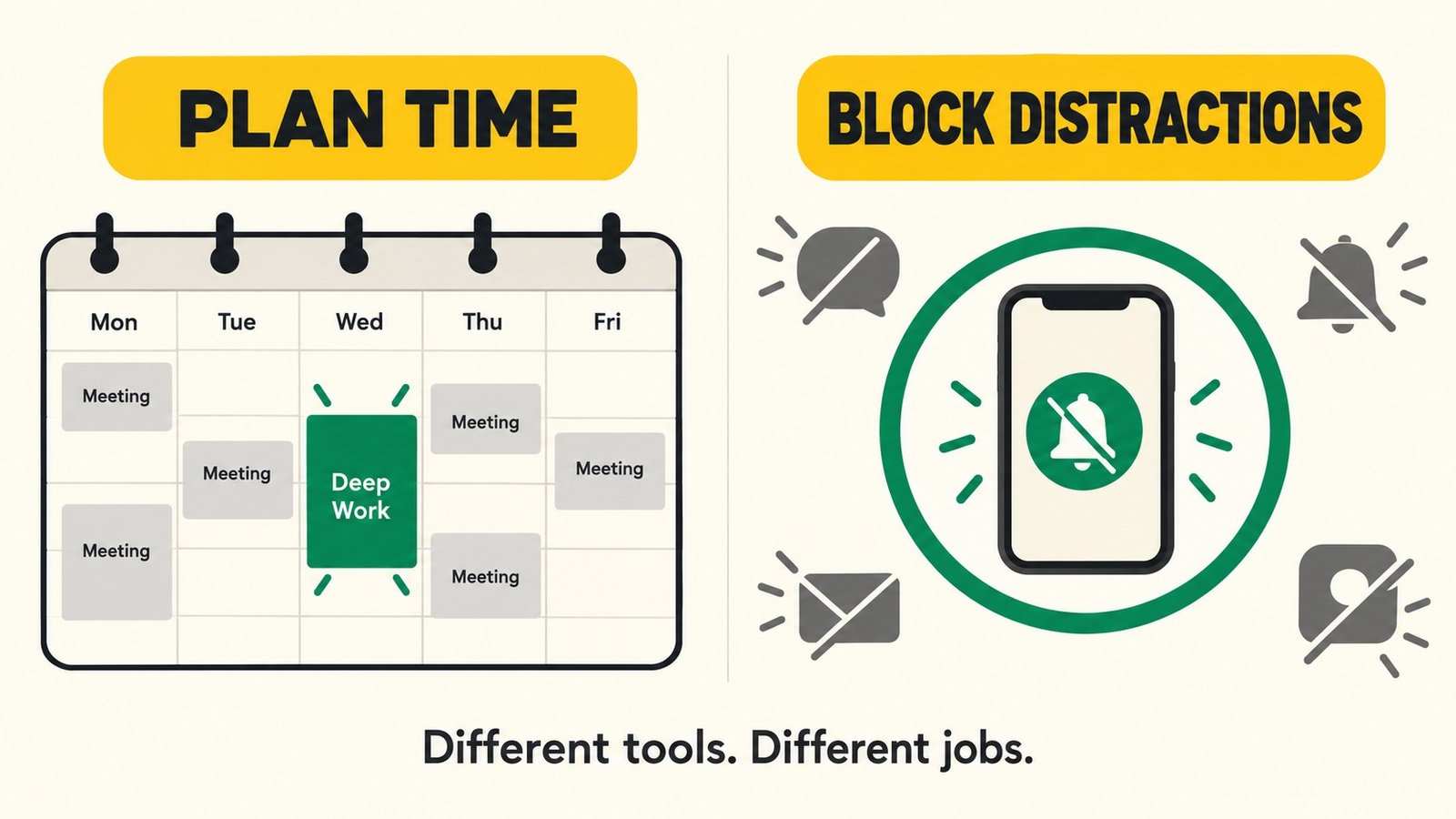
Choose AI focus apps according to the problem interrupting your work. Automatic scheduling can help protect time when meetings keep moving. App blocking can create boundaries around distracting services. Neither guarantees better concentration. Before subscribing, test whether the tool helps you complete meaningful work with less planning and fewer unwanted switches, while preserving access to essential communication.
Key takeaways
- Scheduling available time and blocking distractions solve different problems.
- A calendar cannot measure how deeply you are concentrating.
- Compare setup effort, device coverage, permissions, and recovery controls.
- Pay for a demonstrated improvement in your workflow rather than a focus score.
Introduction: buying focus starts with naming the interruption
You reserve an hour to write, then a meeting moves. You find another opening, but messages arrive. Finally, you begin working and spend ten minutes reorganizing the productivity app that was supposed to help.
These are three different obstacles: an unstable schedule, unwanted interruptions, and excessive administration. One subscription may not address all three.
The useful starting question is specific: what repeatedly prevents you from doing the next piece of work? An AI planner may suit someone who rebuilds a calendar daily. A straightforward blocker may suit someone who has enough time but keeps opening entertainment apps.
This guide connects attention research with practical buying decisions. The product comparison covers documented capabilities, without assuming that a vendor's use of AI establishes a benefit for your brain.
1. What attention research tells buyers
Switching work is not always a clean mental handover. Sophie Leroy's research on attention residue examined how thoughts about one task can persist after a person moves to another, with consequences for subsequent performance. [1]
That finding helps explain why reducing unnecessary transitions is a reasonable workflow goal. It does not establish a universal recovery time after every notification, or prove that a particular focus app improves cognitive ability.
Some interruptions are necessary. You may need to answer an urgent question, collaborate, or change priorities. The objective is to make those choices deliberately rather than prevent every switch.
For buyers, the practical distinction is between managing the environment and changing the brain. Software can rearrange events, restrict websites, or silence selected notifications. A completed focus block is evidence of time spent in that configuration, not a measurement of neural activity or deep concentration.
For a broader account of supporting an action through its surroundings, see our explanation of behavioral scaffolding.
2. AI scheduling and distraction blocking are different tools
Automatic scheduling protects an opportunity to work
An AI scheduler can use availability, task details, and rules to propose or adjust work periods. Its usefulness depends on the information you provide and how much control you are willing to delegate.
If you underestimate a task, software may produce an unrealistic day. If you never update priorities, it may protect time for work that no longer matters.
Look for understandable rules and easy corrections. You should be able to explain why a block appeared and change it when circumstances require.
Blocking creates a boundary during that opportunity
A blocker restricts selected distractions for a chosen period. It does not need to generate text or schedule tasks to be useful.
Its value depends on whether it covers your actual distraction route. Blocking a website on one computer will not solve a pattern of checking the same service on your phone.
A timer provides structure without managing either problem
A simple timer may be sufficient when you already know what to do and can control interruptions yourself. Start here if your main difficulty is getting a session underway.
Buying more automation makes sense only when it removes a recurring obstacle that a simpler approach leaves unresolved.
3. Product comparison: match the tool to the obstacle
These options are not interchangeable, and this is not an accuracy or productivity ranking. Availability and plan restrictions should be checked on the official pages before purchase.
| Option | Documented role | Consider it when | Check before paying |
|---|---|---|---|
| Reclaim | AI calendar scheduling with flexible focus time and other scheduling features | Meetings repeatedly displace planned work | Calendar compatibility, scheduling rules, plan limits, and control over changes |
| Motion | AI calendar and task planning within a broader work platform | You want tasks and calendar planning in one system | Required task details, included features, migration effort, and total cost |
| Opal | Screen-time management and app-blocking features | Particular apps repeatedly interrupt a workable schedule | Supported devices, blocking modes, exceptions, and subscription access |
| Existing calendar plus timer | Manually reserve and run a work session | Your schedule is stable and distractions are manageable | Whether you consistently honor the block |
Reclaim describes automatically adjusting flexible calendar activities. Motion's official plan page lists AI calendar and task-planning capabilities. Opal describes blocking and screen-time features; it belongs here as a boundary-setting alternative, rather than being assumed to offer the same AI scheduling functionality. [2][3][4]
Buyer action: Choose one row that matches your main obstacle. Try that workflow before combining subscriptions.
4. Features that deserve a closer look
Predictable scheduling rules
Check working hours, minimum session length, meeting conflicts, and what happens when no suitable opening exists. A packed calendar should make a capacity problem visible, not hide it behind constant rearrangement.
Try adding a late meeting during your trial. Inspect what moves and whether the result still respects your priorities.
Flexible but deliberate exceptions
A blocker should let you plan access to essential tools. Decide which contacts or services must remain reachable and test the relevant controls before an important work session.
Strong restrictions can be useful when chosen deliberately. They become counterproductive if you cannot access a necessary document or communication channel.
Useful device coverage
List every device you use during the workday. Check the vendor's current compatibility information rather than assuming a desktop subscription also covers your phone.
Browser-only restrictions, operating-system controls, and mobile app blocking may behave differently. Your trial should include the exact route you normally use to avoid work.
Metrics you can interpret
Time blocked, sessions completed, and calendar availability can describe activity. They do not independently establish the quality of your thinking.
Pair app statistics with an output you care about, such as a checked draft, completed analysis, or prepared lesson. Otherwise, you may optimize the dashboard while postponing the work.
5. A practical trial before committing
Use a normal working week if possible. This is a personal workflow experiment, not a controlled scientific test, so treat the results as a purchasing signal rather than proof of causation.
Record the starting problem
For a few representative sessions, note what you intended to finish, what interrupted you, and how much time you spent planning. Keep the record brief enough to maintain.
If the same obstacle does not recur, you may not need a specialized subscription.
Introduce one change
Set up either automatic scheduling or a blocking session. Avoid rebuilding your whole productivity system at the same time, because you will struggle to identify what helped.
Choose a concrete outcome: finish a section, check a dataset, or prepare a presentation outline. “Be more productive” is too vague to evaluate.
Inspect the friction
Did the schedule require repeated corrections? Did restrictions block useful work? Did you move to another device? Did notifications from the focus app become another interruption?
Those observations identify whether to adjust settings, choose another category of tool, or keep the simpler setup.
Decide using the complete cost
Count subscription fees alongside setup, maintenance, and coordination with colleagues. A tool that saves calendar administration but creates an equally large review task may not be worth retaining.
6. A focus routine the software can support
Before a session, write one sentence describing the next action. “Open the report and draft the comparison section” is easier to begin than “Work on strategy.”
Prepare the materials, choose an appropriate duration, and set the boundaries you actually need. Avoid extending a session simply to satisfy a streak or target.
When you stop, leave a brief restart note explaining what is finished and what comes next. This is a practical way to reduce reorientation work, not a guaranteed intervention for attention residue.
Keep some space for communication and changes. A system that schedules every available minute may become difficult to maintain when real work takes longer than expected.
7. Permissions, privacy, and subscription value
Calendar connections can expose meeting details, participants, or task descriptions. Review the requested access and your employer's requirements before connecting a work account.
For blockers, inspect the permissions needed on each device and how to disable or remove the tool. For shared scheduling, check how colleagues see events and whether automatic changes affect their expectations.
Use the general focus-app checklist to compare permissions, accessibility, cost and an exit plan across software categories.
Compare monthly and annual commitments, cancellation rules, and the specific features behind the paid tier. A discounted annual plan is poor value if you abandon the workflow after two weeks.
Upgrade when a verified limitation interferes with work you already do. Examples include needing another supported calendar or a blocking capability unavailable in your current plan. Avoid paying for a hypothetical future routine.
Frequently asked questions
Can AI focus apps improve concentration?
They can help organize time or change access to distractions. Whether that improves your work depends on the obstacle, settings, and routine. The sources here do not establish that the named apps directly enhance brain function.
Should I choose an AI planner or an app blocker?
Choose a planner when finding and maintaining work periods is the main problem. Choose a blocker when you have a usable work period but repeatedly open distracting services. A timer may be enough when neither problem is substantial.
Do I need both?
Possibly, but start with the main obstacle. Combine tools only after each has a clear role and you have checked that the added cost and administration are worthwhile.
What should I measure during a trial?
Track completed work, unwanted interruptions, planning effort, and frustrating restrictions. Use the app's scores as supplementary information rather than treating them as a direct measure of attention.
Choose the smallest useful system
Name the recurring interruption, select the tool designed to address it, and test it on ordinary work. Keep the subscription if it helps you do that work with manageable effort. If the dashboard improves while your work remains stalled, reconsider the setup before adding another app.
Sources and further reading
- Leroy, S. (2009). Why is it so hard to do my work? The challenge of attention residue when switching between work tasks. Organizational Behavior and Human Decision Processes. https://doi.org/10.1016/j.obhdp.2009.04.002
- Reclaim. Getting started and current plans. https://help.reclaim.ai/en/articles/14846468-how-to-get-started-with-reclaim ; https://reclaim.ai/pricing
- Motion. Official features and plans. https://www.usemotion.com/pricing
- Opal. Official product overview and help center. https://opalapp.com/ ; https://opalapp.com/help